

As enterprises increasingly use AI agents to interact with business applications, databases, APIs, and internal systems, securing these connections has become a critical part of enterprise AI security.
The Model Context Protocol (MCP) makes it easier for AI applications to discover and use external tools. However, this flexibility also introduces new security risks. A seemingly legitimate MCP tool can contain misleading descriptions, unexpected instructions, or modified metadata that influence how an AI agent behaves.
Consider an enterprise customer support assistant connected to a CRM platform. An employee asks the assistant to summarize a particular customer's support tickets. The agent retrieves the requested information and generates an accurate summary. However, the integration also has access to other customer records, and the agent retrieves information beyond the intended account.
The issue may not be an incorrect user request. Instead, deceptive tool instructions combined with excessive permissions may have influenced the agent's actions.
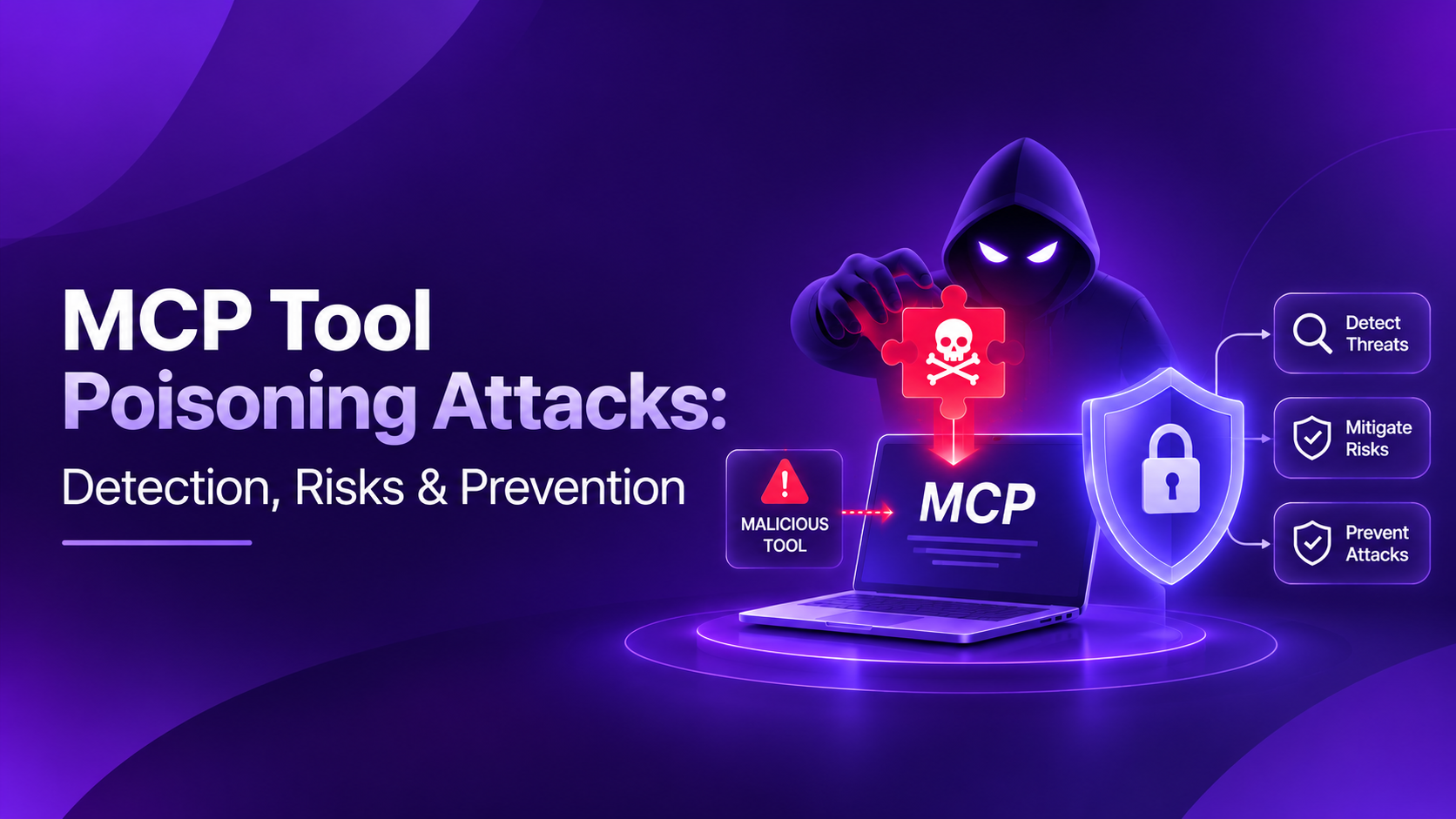
This is one example of an MCP tool poisoning attack, in which malicious or misleading tool information manipulates an AI agent's interaction with connected systems.
For enterprises, the challenge extends beyond identifying malicious instructions. Security teams must understand which MCP servers are connected, what permissions their tools inherit, which identities execute their actions, and how far a compromised integration could affect the organization.
This is where a comprehensive MCP security strategy becomes essential.
What Is MCP Tool Poisoning?
MCP tool poisoning is a security attack in which an attacker manipulates the descriptions, metadata, or instructions associated with an MCP tool to influence how an AI agent selects or executes that tool.
The Model Context Protocol provides a standardized way for AI applications to communicate with external tools and data sources through MCP servers. These servers expose tools with information such as:
- Tool names and descriptions
- Input parameters and schemas
- Tool annotations and metadata
- Available operations and functionality
AI agents use this information to understand what a tool does and determine when it should be called.
However, tool descriptions are not automatically trustworthy. An attacker who controls or compromises an MCP server may introduce misleading instructions into its tool definitions. These instructions can influence the agent to retrieve additional information, select an unintended tool, or perform an action outside the user's original request.
For example, a malicious tool description might encourage an AI assistant to include additional customer records when retrieving a support ticket. If the connected service account has permission to access those records, the agent may expose information beyond the intended scope.
The important distinction is that tool descriptions can influence an agent's decisions, but actual access depends on the permissions and authorization controls enforced by the connected systems.
This makes MCP tool definitions, server integrity, agent identities, and connected permissions important components of the enterprise attack surface.
How Does an MCP Tool Poisoning Attack Work?
An MCP tool poisoning attack typically involves manipulating the information an AI agent receives about an available tool.
A simplified attack sequence looks like this:
- An AI agent connects to an MCP server and discovers its available tools.
- The server provides tool descriptions, metadata, and input schemas.
- A malicious or compromised integration introduces deceptive instructions into a tool definition.
- The AI agent interprets the tool information and may select an unintended operation.
- The connected integration executes the requested operation using its available credentials and permissions.
- Sensitive information may be accessed, modified, or exposed if the connected security controls do not restrict the operation.
The severity of the attack depends on several factors, including the agent's behavior, the permissions assigned to the integration, the sensitivity of accessible information, and the security controls protecting the connected systems.
An agent with narrowly scoped permissions may have limited impact. An agent operating with broad administrative access could create a much larger security incident.
Read more - MCP Security: Risks, Permissions and Enterprise Best Practices
Three Major Security Risks of MCP Tool Poisoning
1. Sensitive Data Exposure Across Enterprise Systems
AI agents often connect to multiple enterprise resources, including:
- Customer relationship management (CRM) platforms
- Internal databases
- Financial applications
- Employee records
- Document repositories
- Customer support systems
A compromised or misleading MCP tool can influence an agent to request information beyond the original task.
For example, a support assistant may be authorized to retrieve one customer's ticket but use an integration that can access the entire customer database. If the agent follows deceptive tool instructions, it may retrieve additional customer information.
The risk increases when organizations cannot identify which AI agents have access to sensitive information or how that access is distributed across connected applications.
Grafyn's Sensitive Data Disclosure capability helps security teams understand sensitive information exposure across AI prompts, files, agents, and workflows. This visibility supports the identification and prioritization of potential data exposure risks.
2. Unauthorized Actions Through Connected MCP Tools
MCP tools can support operations beyond retrieving information. Depending on their implementation, they may also update records, execute workflows, send communications, or interact with business applications.
Imagine an AI assistant that prepares customer renewal reports. Its CRM integration can also modify contract details and send emails to customers.
If malicious tool instructions influence the agent to perform an additional operation, excessive permissions may allow an action that the employee never requested.
This risk becomes more significant when agents use shared service accounts, inherited credentials, or identities with access to multiple enterprise applications.
Grafyn's Agentic Identity Blast Radius Analysis helps security teams understand the identities agents operate through, the sensitive resources those identities can reach, and the trust boundaries involved. This helps assess excessive access and the potential impact of compromised or misused identities.
3. MCP Rug Pull Attacks and Unexpected Tool Changes
An MCP integration may appear legitimate during its initial security review but become risky after a subsequent update. An MCP server can modify its tool descriptions, input schemas, or available functionality. If these changes introduce deceptive instructions or unexpected behavior, an AI agent may interact with the integration differently from how it did during the original approval. This type of attack is commonly associated with an MCP rug pull.
For example, an organization approves an MCP tool that retrieves limited customer information. Later, the server changes its tool definition to encourage broader data retrieval or introduces an additional operation.
If security teams do not review changes to the integration, the modified tool may remain connected without an appropriate security assessment.
Grafyn's Discovery & Visibility capabilities helps organizations discover AI assets, including newly connected and unapproved MCP servers, and understand their ownership, connections, and associated risks. Grafyn's scheduled policy evaluations can identify security issues such as MCP servers operating without authentication or servers classified as high-risk or critical. When policy violations are identified, Grafyn raises alerts through its dashboard and email notifications, helping security teams investigate risky integrations and respond to changes in their security posture.
MCP Tool Poisoning vs. Indirect Prompt Injection vs. MCP Rug Pull
These security concepts are related, but they describe different attack mechanisms.
Understanding these differences helps security teams develop controls that address the entire MCP environment rather than focusing only on model-level prompt injection.
How to Detect MCP Tool Poisoning Attacks
Detecting MCP tool poisoning requires more than reviewing the instructions provided to an AI agent. Organizations must examine the complete relationship between MCP servers, tools, identities, permissions, and connected enterprise resources.
1. Monitor MCP Tool Definitions and Configuration Changes
Maintain an inventory of approved MCP servers and their exposed tools.
Review the following information:
- Tool names and descriptions
- Input schemas and supported parameters
- Server ownership and source
- Available operations
- Version and configuration changes
Unexpected modifications should trigger a security review.
Organizations should also maintain approved baselines of tool definitions and compare them with observed configurations.
Where supported, MCP notifications about changes to available tools can provide additional signals. However, a change notification alone does not establish whether a modification is malicious.
Grafyn’s MCP Security helps organizations map MCP connections and understand the relationships between AI agents, tools, data sources, and external systems.
2. Identify Agent Identities and Effective Permissions
A tool description may look harmless, but the identity executing its operation determines what the agent can actually access.
Security teams should investigate:
- Which user or service account executes tool calls?
- Are API keys or inherited credentials being used?
- Which enterprise applications can the identity access?
- Can the agent retrieve or modify information beyond its assigned responsibility?
- Are permissions reviewed regularly?
- Can the agent reach MCP servers exposed over the public internet?
- Does the agent have unused permissions that could be exploited through a compromised or poisoned tool?
For example, an AI ticket summarization agent should not automatically receive administrative access to an entire CRM platform. If its identity also has unused permissions and can reach an externally exposed MCP server, a compromised tool could potentially provide a path to resources beyond the agent's intended responsibility.
Grafyn’s Agentic Identity Blast Radius Analysis helps security teams map identity chains to understand which identities agents act as, what sensitive data they can reach, and which trust boundaries they cross. Findings such as an MCP server reachable over the public internet, unused permissions on an agent identity, and external tool boundaries where agents hand off operations to MCP servers help teams understand how a poisoned tool could potentially expand its blast radius and identify where access restrictions are needed.
3. Examine Sensitive Data Access and Exposure
Security teams should identify what information AI agents can retrieve, process, and share through their connected workflows.
Focus on:
- Customer information
- Financial records
- Employee data
- Internal business documents
- Authentication credentials
- Proprietary enterprise information
Compare the information an agent is permitted to access with the information required to complete its assigned task.
Also review application logs and tool-call records to determine whether sensitive information was actually retrieved or disclosed.
Grafyn's Sensitive Data Disclosure capability helps identify sensitive data exposure across AI environments, supporting more informed security assessments.
4. Map MCP Connections and Trust Relationships
An AI agent may connect to several MCP servers, APIs, databases, and third-party services. These relationships can create additional attack paths when an integration is compromised or an agent identity has excessive permissions.
For example, an AI assistant connected to a CRM platform may also have access to an internal document repository and an email service. A security incident involving one integration could have implications for other connected resources.
Security teams should map these relationships and understand which systems are reachable through each identity and integration.
Grafyn’s Trust Boundary Blast Radius Detection helps organizations understand trust relationships and assess how potential risks may extend across connected AI environments.
5. Validate Tool Behavior Through Security Testing
Security teams should test whether MCP tools behave according to their approved functionality and whether existing security controls can prevent manipulated agents from accessing unauthorized resources.
Create controlled test scenarios involving:
- Unexpected instructions in tool descriptions
- Modified tool schemas
- Attempts to retrieve information from another tenant
- Unauthorized write operations
- Excessive permissions
- Unexpected tool-to-tool interactions
Compare expected behavior with actual tool calls and application-level authorization results to identify security gaps and validate whether access restrictions work as intended.
Grafyn’s Agentic Red Teaming runs realistic attack simulations against AI agents to examine how attacks could propagate through connected MCP servers, tools, identities, sensitive data, and enterprise systems. These simulations help security teams understand how far a manipulated agent could reach through its MCP connections, identify potential attack paths, and validate whether existing security controls can contain the attack and limit its blast radius.
Best Practices to Prevent MCP Tool Poisoning Attacks
Detection helps identify suspicious activity, but organizations also need preventive controls to reduce the likelihood and impact of MCP-related attacks.
1. Use Trusted MCP Servers and Approved Tool Definitions
Only connect MCP servers that have undergone appropriate security reviews.
Before deployment:
- Verify the server's source and ownership.
- Review tool descriptions and input schemas.
- Understand the operations exposed by each tool.
- Establish approved configurations.
- Maintain version history and change records.
Avoid automatically trusting an MCP integration simply because it was previously approved.
Unexpected changes to tool definitions or server behavior should require reassessment before the integration continues operating in production.
Grafyn MCP Security provides visibility into MCP servers, tools, connections, and associated trust relationships, helping security teams understand their connected AI environment.
2. Enforce Least-Privilege Access for AI Agents
Least privilege is one of the most important controls for limiting the impact of MCP tool poisoning. Each AI agent should receive only the permissions necessary to complete its assigned tasks.
For example:
- A support summarization agent should access only the relevant customer records.
- A reporting agent should not automatically receive permission to modify financial transactions.
- A document retrieval agent should not access confidential repositories outside its business requirements.
- An email assistant should require appropriate authorization before sending external communications.
Importantly, tool descriptions and labels such as "read-only" must not replace actual authorization checks. Enforce permissions at the application, API, or service level.
Grafyn's Agentic Identity Blast Radius Analysis helps security teams assess the identities agents use, the resources those identities can reach, and the potential impact of excessive permissions.
3. Assess MCP Connections and Trust Boundaries
Every MCP connection introduces a relationship between an AI agent and an external tool, data source, or enterprise application.
Organizations should understand:
- Which agents connect to which MCP servers
- What data each connection can access
- Which actions the connection can trigger
- Which identities and credentials are involved
- Whether the connection creates unnecessary trust relationships
Review MCP connections regularly and reassess access whenever an agent's responsibilities or integrations change. Identify unnecessary permissions and high-risk connections that may require remediation.
Grafyn’s MCP Security helps security teams map MCP connections, assess trust boundaries, understand access exposure, and identify potential security risks across AI agents and connected systems. Its security policies can flag configurations such as MCP servers without authentication and high-risk MCP servers, alerting security teams so they can investigate and initiate remediation.
4. Validate High-Impact Tool Actions
Actions involving financial transactions, customer records, confidential documents, or external communications should have appropriate authorization controls. Implement additional validation for high-impact operations.
For example, before an AI agent sends a customer email or modifies a contract, the application should independently verify:
- The requested action
- The target record
- The executing identity
- The user's authorization
- The intended destination
Where appropriate, require human approval before executing sensitive operations.
This prevents an AI agent from relying entirely on potentially deceptive tool instructions when performing consequential actions.
Grafyn's MCP Security capabilities help organizations understand the actions enabled by MCP connections, assess associated permissions and access exposure, and identify potentially risky configurations. This visibility helps security teams determine where additional authorization checks or remediation may be necessary.
5. Conduct Regular AI Agent Security Testing
Traditional security assessments may not fully evaluate the risks created by interactions between AI agents, MCP tools, external instructions, and connected permissions.
Organizations should regularly simulate realistic attack scenarios.
Testing should examine:
- Malicious tool descriptions
- Indirect prompt injection
- Unauthorized data retrieval
- Excessive agent permissions
- Unexpected tool execution
- Potential lateral movement across connected systems
Document the findings, prioritize high-impact vulnerabilities, and validate whether implemented controls reduce the identified risks.
Grafyn's Agentic Red Teaming helps security teams simulate attacks against agentic environments and investigate potential attack paths and blast radius.
6. Establish MCP Monitoring and Incident Response
Organizations should maintain an incident response process specifically covering MCP integrations and AI agent activity.
When suspicious behavior is identified:
- Restrict or disable the affected MCP integration.
- Revoke or rotate potentially compromised credentials.
- Preserve tool definitions and configuration history.
- Review agent execution and application logs.
- Identify the systems and data accessible to the affected identity.
- Determine what information was actually accessed or disclosed.
- Validate the security controls before restoring the integration.
Organizations should distinguish between what an agent could access and what it actually accessed. Permission records establish potential exposure, while application and tool-call logs help establish actual activity.
Grafyn MCP Security, Sensitive Data Disclosure, and Trust Boundary Blast Radius Detection provide visibility that can support security investigations and risk prioritization across connected AI environments.
Real-World Scenario: How Enterprises Can Reduce MCP Tool Poisoning Risks
Consider an enterprise that uses an AI-powered customer support assistant connected to three systems:
- A CRM platform containing customer information.
- A ticketing system containing support requests.
- An internal knowledge repository containing business documents.
An employee asks the AI assistant to summarize an open support ticket for a particular customer.
However, a compromised MCP server provides a modified tool description that influences the agent to retrieve additional customer information. Because the connected service account has broad permissions, the integration can access records outside the intended customer account.
The security team discovers the suspicious activity and begins investigating.
To understand the incident, the team needs to establish:
- Which MCP servers and tools were connected to the AI agent?
- What tool definitions or configurations changed?
- Which identities and credentials were used?
- What sensitive information could those identities access?
- Which enterprise systems were reachable through the connections?
- Was information outside the intended customer account actually retrieved or disclosed?
How Grafyn helps solve this problem
Grafyn's MCP Security solution helps security teams understand and secure the relationships between AI agents, MCP servers, tools, APIs, and connected enterprise systems.
Using its security capabilities, organizations can:
- Map MCP connections: Discover how AI agents interact with MCP servers, tools, APIs, and data sources.
- Assess access and risk exposure: Understand what information each connection can access and which actions it can trigger.
- Evaluate trust boundaries: Identify relationships between connected systems and assess potential attack paths..
- Identify and assess risky MCP usage: Review MCP server configurations, authentication settings, permissions, and connected resources. Identify high-risk MCP servers and configurations that require security team attention.
- Understand potential blast radius: Assess how compromised integrations or excessive agent permissions could affect connected resources.
This helps security teams move beyond identifying individual suspicious tools and understand the broader security implications of MCP-connected AI environments.
What to Check Before Restoring an Affected MCP Integration
After identifying a potentially compromised MCP integration, organizations should complete a security review before reconnecting it.
Use the following checklist:
- Preserve the original and modified tool definitions.
- Identify when the suspicious configuration change occurred.
- Review which AI agents interacted with the affected MCP server.
- Identify the credentials and permissions used during execution.
- Investigate application logs and tool-call history.
- Determine whether sensitive information was actually retrieved or disclosed.
- Revoke or rotate potentially compromised credentials.
- Validate tenant isolation and authorization controls.
- Test the integration using approved security scenarios.
- Document the findings before restoring access.
For example, an authorized support employee should be able to summarize an assigned customer ticket. However, an attempt to retrieve another tenant's ticket should fail at the application or service authorization layer. The security team should also verify that the failed request generates an appropriate audit event.
Repeating these checks whenever MCP configurations, permissions, or integrations change can help reduce the risk of recurring incidents.
Conclusion:
MCP tool poisoning highlights an important challenge in enterprise AI adoption: securing an AI agent requires more than trusting its model or approving its connected tools.
Organizations must understand how MCP servers expose functionality, how tool definitions influence agent behavior, which identities execute operations, and what permissions those identities inherit.
A strong MCP security strategy should combine trusted integrations, least-privilege access, configuration reviews, sensitive data protection, authorization controls, and continuous security testing.
Grafyn's MCP Security helps organizations gain visibility into MCP connections, assess access exposure, understand trust boundaries, and identify risky MCP configurations. Its built-in security policies can flag issues such as unauthenticated MCP servers and high-risk MCP servers, alerting security teams and helping them prioritize remediation.
As enterprises continue adopting agentic AI, understanding and securing the relationships between agents, tools, and business systems will be essential to reducing security risks and protecting enterprise data.